New: free Mac beta
The iPad greets them. Your Mac runs the desk.
Sign visitors in, print badges, and see who’s on site from your computer. Keep the iPad kiosk at the door, or run everything from your Mac with no iPad at all.
Free during the beta. Needs macOS 14 or later, on Apple silicon or Intel.
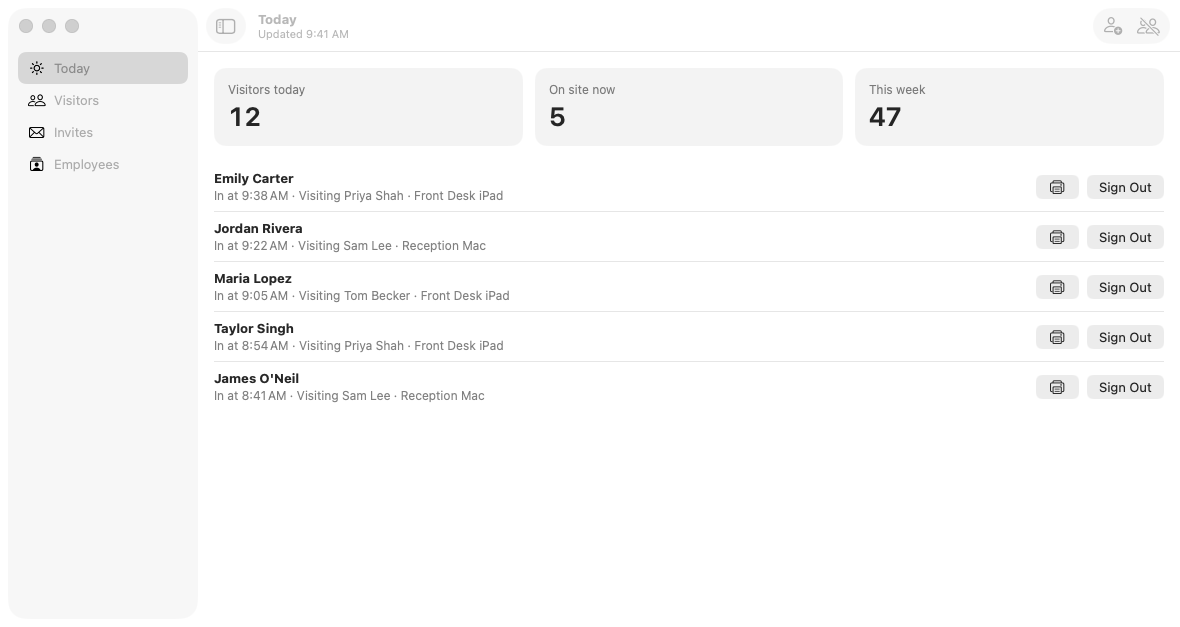

Shown with sample visitors.
Better together
One front desk, two screens.
Sign in to the same account on both and they share the same desk. Every visit shows which device it came from, so you can tell the kiosk from the front desk at a glance.
iPad at the door
Visitors check themselves in on the kiosk, with a photo or signed agreement if you need one.
Mac on the desk
Staff see who has arrived, sign in walk-ins, reprint a badge, and sign people out.
Set up once
Change the sign-in form, employee list, or alerts on the Mac, and your iPads pick up the changes.
A look inside
Made for the person at the desk.
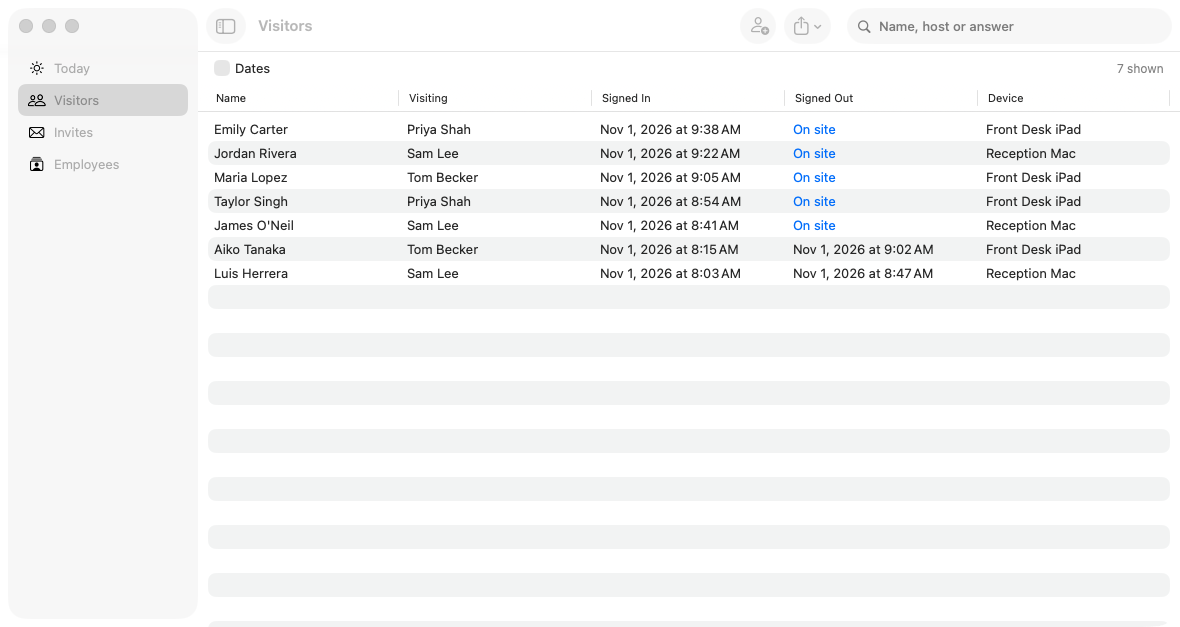
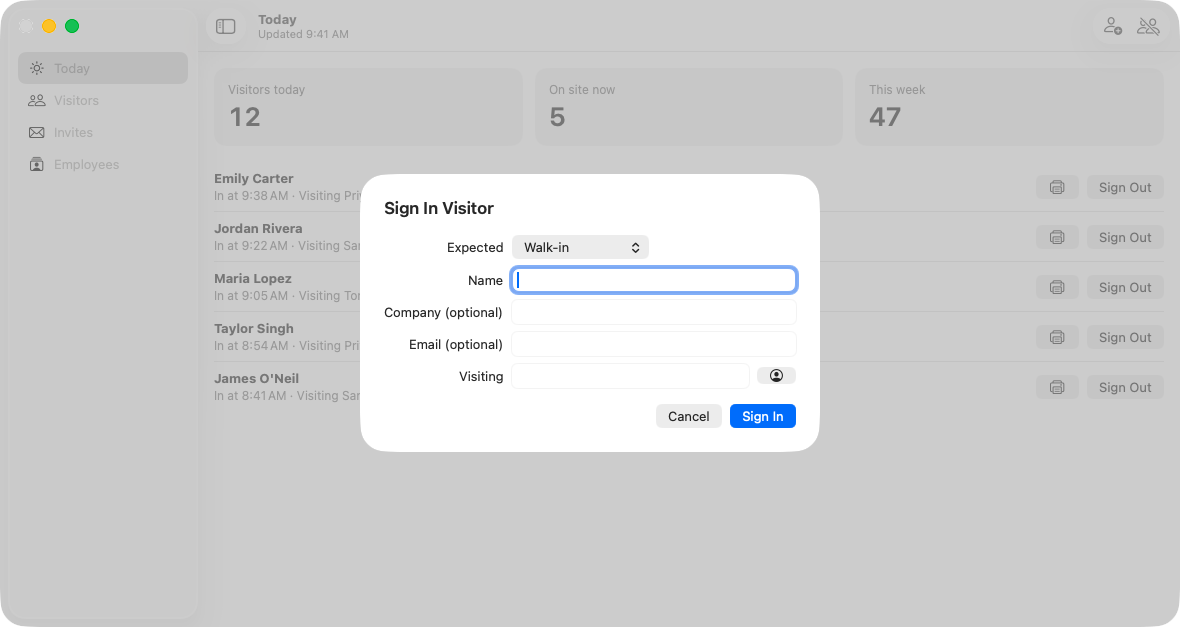
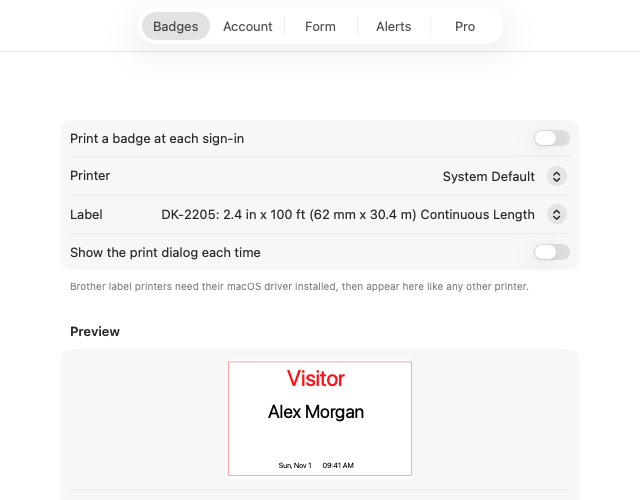
What’s included
The whole front desk, in one window.
Get started in a few minutes
- Download FrontDesk Genie for Mac.
- Open the download and drag FrontDesk to Applications.
- Sign in, or create a free account in the app.
- Choose your printer and label in Settings.
Good to know
Questions before you download.
Something else on your mind? Ask us and a real person will get back to you.
Do I need an iPad?
No. The Mac app works on its own with a free online account, which you can create right in the app. If you do have the iPad kiosk, sign in to the same account on both.
Can visitors sign themselves in on the Mac?
No. The Mac app is for your staff at the desk. For self check-in, use the iPad kiosk. Sign-in on the Mac is text only: photos and signatures are collected on the iPad and stay there.
Which printers work?
Badges are laid out for Brother label printers using DK-2205 or DK-1234 labels. Install the Brother macOS driver first, and the printer appears in the app like any other.
Does it work offline?
No. The Mac app reads and saves directly to your online account, so it needs an internet connection.
What will it cost after the beta?
Everything is free during the beta. Afterwards you can still view visitors and sign them out for free, and make up to 10 sign-ins on the Mac. Pro will be a one-time purchase, with no subscription.
How do I update it?
The app doesn’t update itself yet. To get a newer version, download it again from this page and replace the copy in your Applications folder.
Free during the beta
Bring your front desk to your Mac.
Try it at your desk today, and tell us what would make it better.